
A Complete Cyber Safety Guide for Your Home, Phone, and Finances – With Specific Reporting and Recovery Steps
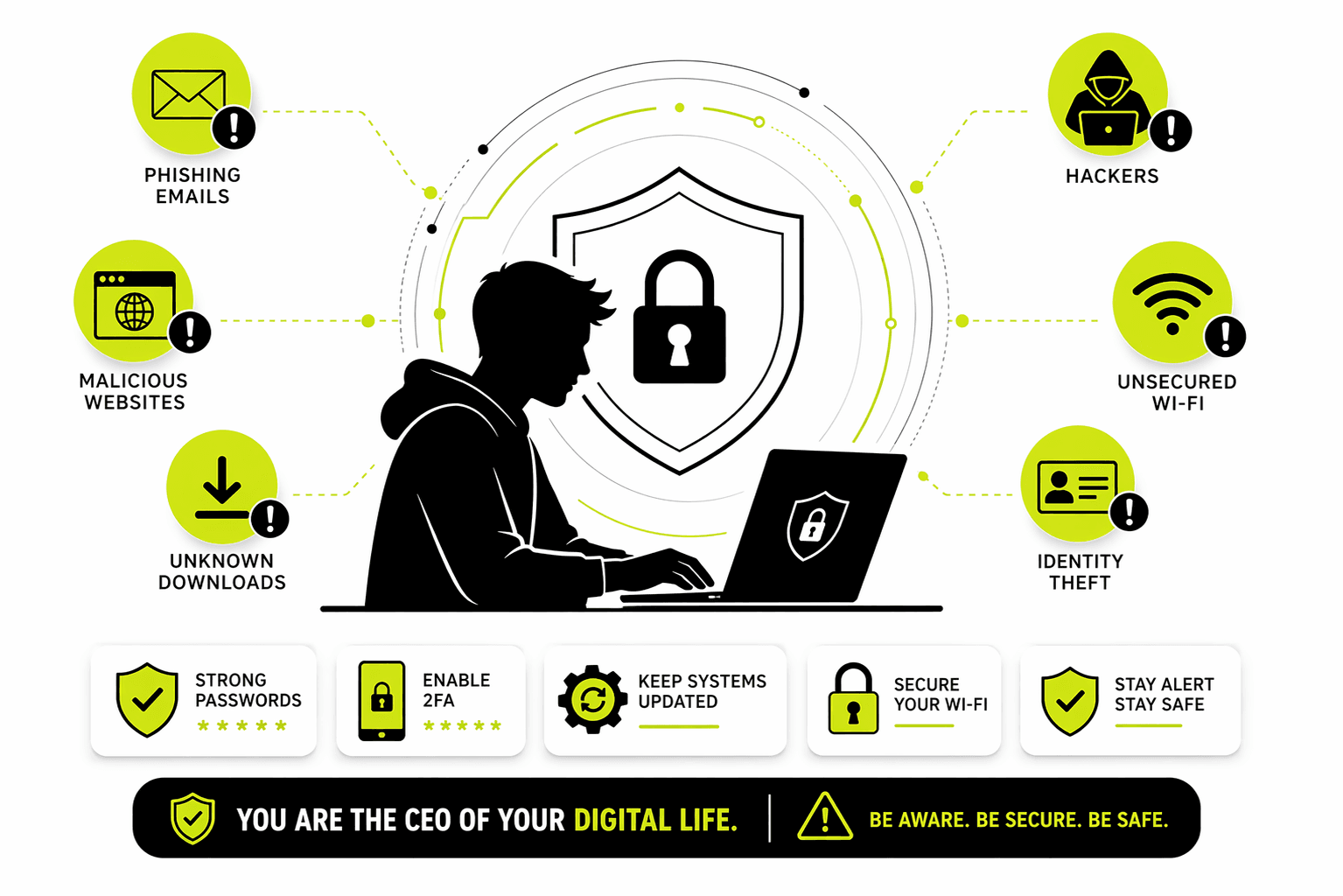
In just the first quarter of 2026, the National Cyber Crime Reporting Portal (NCRP) has already helped prevent losses of over ₹850 crore from over 5.5 lakh financial complaints, including ₹51 crore in small fraud cases under ₹50,000. You are not alone, and there are clear, effective steps you can take to protect yourself and to act if something goes wrong.
Here is a practical, step-by-step guide to securing your digital life and knowing exactly what to do in case of an emergency.
Step-by-Step Security Guide for Your Phone and Network
Securing Your Phone (Android & iPhone)
This is your most personal device, containing your emails, messages, and often, your banking apps. Securing it is your first line of defense.
- 1. Enable a Strong Screen Lock & Biometrics: Your lock screen is the first barrier to your data.
- Android: Go to
Settings > Security > Screen lock. Choose a strong password or PIN (avoid simple patterns). Then, enable fingerprint or face unlock for convenience. For advanced protection, turn on “Theft Protection” and “Identity Check” to prevent thieves from changing your security settings. - iPhone: Go to
Settings > Face ID & Passcode. Set a strong alphanumeric passcode and ensure Face ID is set up. Also, turn on “Stolen Device Protection” and set the security delay to “Always” for critical security changes.
- Android: Go to
- 2. Keep Your Phone Updated: Security patches fix known vulnerabilities that hackers exploit. Do not ignore update notifications.
- Action: Go to
Settings > System > Software Update(Android) orSettings > General > Software Update(iPhone) and install any pending updates immediately.
- Action: Go to
- 3. Lock Down App Permissions: Many apps request access to data they don’t need (e.g., a calculator app asking for your contacts).
- Action: Go through your phone’s settings and review permissions for each app, especially for Location, Camera, Microphone, and Contacts. Revoke access for any app that doesn’t have a clear, essential reason for it.
- 4. Stop App Installations from Unknown Sources: This is how over 90% of mobile malware sneaks onto phones.
- Android: Disable the ability to install apps from unknown sources. Go to
Settings > Securityand ensure “Install unknown apps” is turned off for all apps. Keep Google Play Protect enabled to scan all apps for malware. - iPhone: The App Store is your only safe source. Do not install configuration profiles from unknown sources, as these can bypass Apple’s security.
- Android: Disable the ability to install apps from unknown sources. Go to
- 5. Never Click Links in Unexpected Messages: This is how most account takeovers begin. If you get a text from “FedEx,” “Your Bank,” or even a friend with a strange link, do not click it.
- Action: Open your browser and type the official website address manually. If it’s from a friend, call them to verify they sent it.
Securing Your Home Network (Wi-Fi Router)
Your router is the gateway to all your connected devices. Securing it protects everything on your Wi-Fi.
- Step 1: Access Your Router’s Admin Panel:
- Find your router’s IP address (often
192.168.1.1or192.168.0.1) on a sticker on the router itself. Type this into a web browser, log in with the admin username and password (also found on the sticker).
- Find your router’s IP address (often
- Step 2: Change the Default Admin Password:
- Action: In the admin panel, look for “Administration,” “Management,” or “System Settings.” Change the default password to a long, strong, and unique password. This prevents attackers from taking control of your router.
- Step 3: Update Your Router’s Firmware:
- Action: Look for a “Firmware Update” or “Router Update” section. Install any available updates. Better yet, enable “Automatic Updates” if the option exists. This fixes known security holes.
- Step 4: Secure Your Wi-Fi Network:
- Action: Go to the “Wireless” or “Wi-Fi” settings. Set the Security option to WPA3 Personal (if available, it’s the latest and most secure) or at least WPA2-PSK [AES]. Then, create a strong, unique password for your Wi-Fi network.
- Step 5: Set Up a Guest Network (Crucial for IoT):
- Action: Look for a “Guest Network” or “Guest Wi-Fi” option. Enable it with its own password and ensure it is isolated from your main network. Connect all your smart devices (TVs, cameras, speakers, bulbs) to this guest network. This way, if a vulnerable smart device is hacked, it cannot reach your main laptop or phone.
- Step 6: Disable Risky Features:
- Action: In the admin panel, find and disable these features: WPS (Wi-Fi Protected Setup) and UPnP (Universal Plug and Play). Also, ensure Remote Management (or remote admin access) is turned OFF.
- Step 7: Turn On Your Router’s Firewall:
- Action: Look for a “Security” or “Firewall” section. Ensure the built-in firewall is enabled. This acts as a gatekeeper, blocking unsolicited and malicious traffic from the internet.
What to Do If You’re Hacked: Reporting & Recovery
Even with the best defenses, a determined attacker can sometimes get through. The most critical factor for recovering your money is speed.
🇮🇳 Reporting Cyber Crime in India
For any cyber crime, your first step should always be India’s central system.
- Immediate Helpline: Call 1930. This is the national cyber crime helpline number, operational 24x7x365.
- Online Portal: Report on www.cybercrime.gov.in. This is the official National Cyber Crime Reporting Portal (NCRP).
- Offline: You can also visit your nearest local police station or Cyber Crime Cell. Be sure to get a copy of the First Information Report (FIR) for your records.
Step-by-Step Guide for Financial Fraud (How to Get Your Money Back)
If money has been taken from your bank account or via UPI, follow these steps immediately:
- Step 1: Call Your Bank Immediately: Use the customer care number on the back of your debit/credit card. Inform them of the unauthorized transaction and request them to freeze your account or block the card.
- Step 2: Report to the Cyber Helpline (1930): While you’re on the phone with your bank, also call 1930 or file a report on cybercrime.gov.in. Provide all transaction details. This triggers a process that can freeze the fraudster’s “mule” account.
- Step 3: Get Your Money Back (The RBI Rule):
- Report within 5 days: If you report the fraud within 5 days of the transaction, your liability is zero. You must get a full refund from your bank.
- For amounts under ₹50,000: The Ministry of Home Affairs has a new SOP that allows for a swift refund of small-value frauds without needing a court order, often processed within 90 days.
- For all cases: Under RBI guidelines, banks must complete their investigation and credit the disputed amount (a “shadow reversal”) within 10 working days.
- Step 4: Escalate if Needed: If your bank does not resolve the issue promptly, you can file a complaint on the Reserve Bank of India’s (RBI) Complaint Management System portal at cms.rbi.org.in.
Reporting from Outside India (International)
If you are a victim of a cyber crime while outside India, or if the crime involves an international element, here is the process:
- 1. Report to Your Local Police First: This is the most important step. You must file a report with the local law enforcement agency in the country where you are currently located.
- 2. They Will Coordinate with INTERPOL: Individuals cannot directly report to INTERPOL. Your local police, after receiving your complaint, will decide if international cooperation is needed. They will then collaborate with INTERPOL’s National Central Bureau (NCB) in their country. INTERPOL helps member countries share information and coordinate investigations across borders for crimes like cyber fraud and money laundering.
- 3. File a Complaint with the FBI’s IC3: The Internet Crime Complaint Center (IC3) is a US-based central repository for cyber crime complaints. Anyone, regardless of their country of citizenship, can file a complaint with the IC3 if they believe they are a victim of a cyber-enabled crime. While the IC3 primarily assists the FBI, it is a valuable global reporting mechanism.
Protecting yourself and knowing how to respond are two sides of the same coin. By following this guide, you are building a strong defense and a clear plan of action. You are the CEO of your own digital life.
I blog quite often and I seriously thank you for your content.
This great article has truly peaked my interest.
I am going to book mark your site and keep checking for new details about once per week.
I subscribed to your RSS feed too.
my homepage :: мир
Thank you a bunch for sharing this with all people
you really recognise what you’re speaking about!
Bookmarked. Kindly also consult with my web site =).
We could have a link exchange contract among us
Also visit my blog post Наслаждайтесь жизнью
This paragraph presents clear idea in support of the new
people of blogging, that genuinely how to do blogging
and site-building.
Here is my page; Share Kindness